Although Google’s search engine states that it is smart enough to avoid indexing duplicate information across paginated URLs without requiring canonical tags to point back to the main page, the reality is not always that ideal.
In practice, it still does not seem to work as intelligently as claimed. For websites built with WordPress, or even other platforms, if paginated archive URLs do not have a canonical tag pointing back to the main category page, or are not set to noindex, Google may still automatically index them and report duplicate content issues.
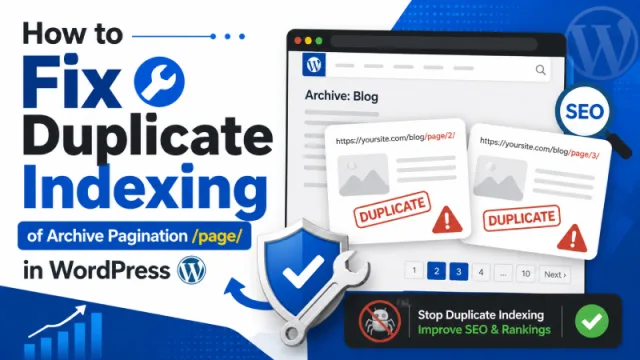
How to fix duplicate pagination problems on WordPress archive pages:
- Set subpages to noindex
- Disallow them using robots.txt
- Use a canonical tag pointing to the 1st main page of every category, tag and homepage archive
- Rewrite and optimize the title and meta description on subcategory/subpage archive pages
There was once a fifth way: rel=“next” and rel=“prev” to indicate the next and previous pages in a series of paginated links. For whatever reason, Google appears to no longer support this.
Canonical
You can easily add this code to your theme’s functions.php file, preferably in a child theme, or place it inside a custom plugin.
To set rel=“canonical” to point to the first page of a paginated list in WordPress, for categories or tags, while using WordPress SEO, you can simply add a filter with a small code snippet.
The code below is for Yoast SEO and was shared by Satollo.
add_filter('wpseo_canonical', 'my_wpseo_canonical');

function my_wpseo_canonical($canonical) {
    if (is_paged()) {
        if (is_home()) {
            return home_url();
        }

        if (is_archive()) {
            $url = get_category_link(get_queried_object_id());
            return $url;
        }
    }

    return $canonical;
}
Code for those using The SEO Framework:
function filter_wpseo_canonical( $canonical ) {
    // make filter magic happen here...
 if (is_paged()) {
        if (is_home()) {
            return home_url();
        }

        if (is_archive()) {
            $url = get_category_link(get_queried_object_id());
            return $url;
        }
    }

    return $canonical;
};

// add the filter
add_filter( 'the_seo_framework_rel_canonical_output', 'filter_wpseo_canonical', 10, 1 );
Noindex Sub-Archives
Many blogs use noindex to prevent search engines from indexing subpages.
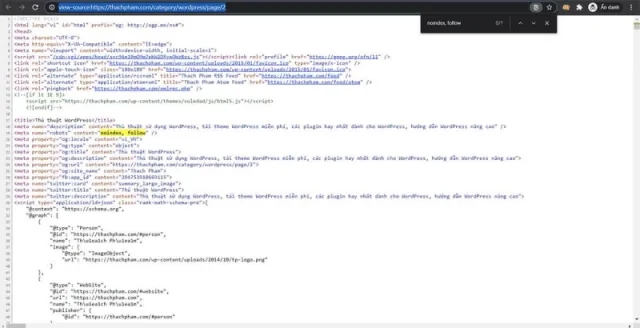
Method 1: Use The SEO Framework
I often use this method to stop Googlebot from indexing these pages. Currently, I use The SEO Framework for most of my blogs and I am very satisfied with it.
In Homepage Settings and Robots Meta Settings, there is an option called “Apply noindex to every second or later archive page?”. Once you enable it, the plugin will automatically apply noindex to all paginated category and tag archive pages.
Method 2: Add Code to header.php
<?php
// fix duplicate listing add noindex automatically to date, author and tag archives
if($paged > 1 || is_author() || is_tag() || is_date() || is_attachment()){
  echo '<meta name="robots" content="noindex,follow" />'; }
?>
The code was shared by IsItWP.
Use Disallow
Disallow: /page/In addition, you can also block indexing by declaring Disallow rules in the robots.txt file. To do this, add the following line to that file:
Rewrite Titles and Descriptions of your Subpages
In fact, paginated /page/ archive pages in WordPress are seldom truly duplicate as each subpage usually has different letters (i.e. posts). This means the content on page/1 will be different to page/2, page/3 etc. In these cases, you may only need to rewrite and optimise the titles and descriptions of these subpages.
Add page variables, such as %page%, %pagenumber%, %id% etc - to the SEO plugin Category Archive Titles and Category Archive Descriptions so they are a bit more unique, thus avoiding duplicate content.
There’s a thousand ways to skin this duplicate pagination problem with /page/ URLs. Pick the one that works for your site, depending upon your SEO methodology and structure.
Code reference source:
How to Add Noindex Follow Automatically to WordPress Archives Pages.
Set Canonical To First Page on WordPress Categories Pages and WordPress SEO.