The concept of a link is something most people are familiar with. However, “what is a nofollow link?” is a question that mainly SEO specialists understand.
Now, if you’re a little new to the game, here’s what you need to know about rel=“nofollow”, what it does, and how it can affect our keyword optimization.
What Is the Nofollow Link Attribute?
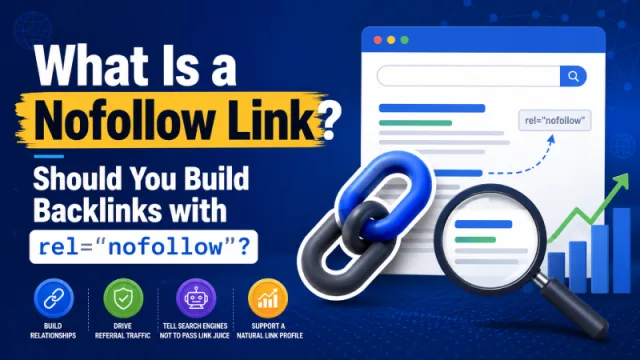
A nofollow link is simply a link attribute in the rel attribute that tells the search engine bot not to follow the link marked with rel=“nofollow”.
Once you add the nofollow tag, the search engine bot will generally ignore that link by default. rel=“nofollow” is opposite of rel=“dofollow”.
So, What Is the Purpose of a Nofollow Link?
Google Search Console Help describes the rel=“nofollow” tag as follows: use the nofollow value when other values are not suitable and you do not want Google to associate your website with the linked page or crawl that page from your website. For links within your own website, you should use robots.txt as described below.
Based on this definition, any link marked as nofollow will not be followed by search engine bots. Instead, they will mainly focus on crawling the other dofollow links on your website.
How to Use It Nofollow Link
Here are some typical methods for incorporating a nofollow link.
Example:
Proper use of the nofollow tag:
<a href="http://www.example.com/" rel="nofollow">Link text</a>
<a href="http://www.example.com/" rel="nofollow sponsored">Link text</a>
The nofollow tag can also be combined with other values like ugc and sponsored.
Example of using the nofollow tag incorrectly:
<a href="http://www.example.com/" rel="nofollow">Link text</a>
<a href="http://www.example.com/" rel="nofollow sponsored">Link text</a>
You cannot use both nofollow and dofollow values for the same link.
Another Way to Use Nofollow
Nofollow can also be used in another form: the meta robots tag. Learn more here.
<meta name="robots" content="nofollow" />
<meta name="googlebot" content="nofollow" />
How to Add a Nofollow Link in a WordPress Post
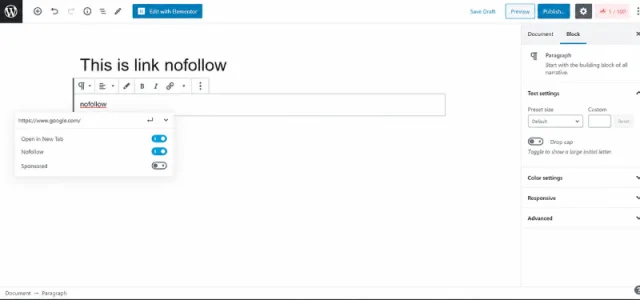
To easily add a nofollow link in the new WordPress Gutenberg editor, you should install Rank Math SEO or EditorsKit.
Should You Build Backlinks with rel=“nofollow”?
While nofollow links are not powerful for SEOs as dofollow types of links, these will still move the needle in terms of being a ranking signal for keywords in search engines.
When you build a nofollow link, a bot like Googlebot, Bingbot or Coc Coc may not crawl the link’s linked page via it. However, it may serve visitors if it is contextual enough.
The user will click through that link and increase the on-site time and page-views. Which in turn may prove beneficial for SEO.
Today, the majority of outbound links in websites, blogs, or forums are nofollow backlinks as a means of protecting themselves from Google for manipulating search engine results. The same is applied to other search engines.
However, a nofollow backlink from a site with lots of organic traffic can still build a little trust for your site. Therefore for sites that you know have strong organic traffic -go on and grab the nofollow link and don’t ignore that.
Besides, rel=”nofollow” backlinks are less likely to trigger any penalties from Google than rel=”dofollow” links created in excess, for failing to maintain a natural balance of dofollow to nofollow links could garner your site unwanted attention from Google’s ranking algorithms leading to possible penalties.
How to Find a Nofollow Tag.
After reading the above sections, you should now know what a nofollow attribute is and how rel=“nofollow” works. So how can beginners in SEO find a nofollow link?
Method 1 - Use a Chrome Extension.
You can use extensions like Strike Out Nofollow Links or NoFollow from the Chrome web store. Once you have this extension installed and activated, visit the website you want to check. You will see links with a red border around them are nofollow links, and links without a red border are normally dofollow links.
Method 2 - Look in the Website Source Code.
Move your cursor to the link you want to check → Right-click mouse → Choose Inspect. Look for the Elements section. If you see this tag rel=“nofollow”, then that link is a nofollow link.