
Today, Marketing Blog AZ will help you understand what is Organization Schema, why it matters for SEO, and how search engines use it to identify a business, brand, company, or organization. In this guide, we will also share a practical Organization Schema example so you can see how this type of structured data works on a real website.
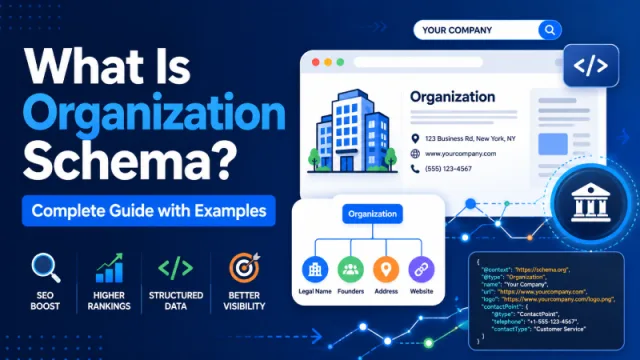
What Is the Organization Schema?
An Organization Schema is a top-level type of structured data to identify an organization or entity for search engines such as schools, hospitals, NGOs, businesses, clubs, etc.
Sub-types of Smaller Organizations Using the Organization Schema
Where Do You Add Organization Schema?
You should not add Organization Schema markup to every page on a website. The most appropriate places to site this type of schema is on the homepage and/or contact page.
Should Personal Blogs Use This Type of Structured Data?
It can be, but many personal blogs still use Organization Schema and still achieve excellent keyword rankings.
Examples of personal blogs that utilize Organization Schema include WPbeginner, Rankmath and numerous others.
Example Organization Schema Code:
Here is an example of using schema.org/Organization, in JSON-LD format that can communicate to Google the type of organization/business/government Agency that a website represents.
<script type="application/ld+json">
{
  "@context": "http://schema.org",
  "@type": "Organization",
  "name": "Xoo Code Inc.",
  "url": "https://xoocode.com",
  "legalName": "Xoo Code House Incorporated",
  "leiCode": "549300TGFLH2QZV80T70",
  "naics": "561499",
  "duns": "739010039",
  "taxID": "44-9008710",
  "vatID": "902019881001",
  "email": "[email protected]",
  "description": "XooCode is a company based in Vancouver Canada that codes and sells applications.",
  "alternateName": [
    "XooCode",
    "Xoo"
  ],
  "mainEntityOfPage": "https://techcrunch.com/news/xoo-code-funding-round-2",
  "sameAs": "https://wikipedia.org/organization/xoo-code-inc",
  "logo": "https://xoocode.com/images/xoo-code-company-logo.jpg",
  "image": [
    "https://xoocode.com/images/xoo-code-company-image-1.jpg",
    "https://xoocode.com/images/xoo-code-company-image-2.jpg",
    "https://xoocode.com/images/xoo-portrait-of-a-company.jpg"
  ],
  "alumni": "Jane Xoo",
  "award": "Rising Code Stars 2016",
  "brand": [
    "XooTee",
    "XooShoes",
    "XooPremium"
  ],
  "address": {
      "@type": "PostalAddress",
      "addressLocality": "Vancouver",
      "postalCode": "T1B 0K2",
      "streetAddress": "12 Paray Road"
  },
  "contactPoint": {
    "contactType": "PR",
    "email": "[email protected]",
    "telephone": "+15556009212",
    "productSupported": "XooPremium",
    "hoursAvailable": [
      "Mo-Fri 08:00-20:00",
      "Sa-Su 10:00-18:00"
    ],
    "url": "https://xoocode.com/press"
  },
  "founder": "Jim Xoo",
  "foundingDate": "1904-08-10",
  "numberOfEmployees": "240",
  "seeks": "Fame"
}
</script><script type="application/ld+json">{
"@context": "https:\/\/schema.org\/",
"@type": "organization",
"@id": "#organization",
"logo": {
"@type": "ImageObject",
"url": "https:\/\/marketingblogaz.com\/wp-content\/uploads\/2015\/01\/tplogo2014.png"
},
"url": "https:\/\/marketingblogaz.com\/",
"name": "Marketing Blog AZ",
"description": "Sharing practical marketing insights about SEO, website development, advertising, e-commerce design, event marketing, trade show marketing, and B2B marketing."
}</script>When you implement Organization Schema, you must give at least a URL, organization name, description and logo.
How to Implement the Organization Schema in WordPress
Most SEO Plugins automatically now support this type of structured data. All you need to do is download your preferred SEO plugin and make some minor adjustments.
Rank Math SEO: From the dashboard, go to Titles & Meta → select Local SEO → When prompted, choose either Person or Company and switch to Organization to enter the necessary information regarding your organization below.
The SEO Framework: From the settings page, go to SEO Settings → scroll down to Schema.org Settings → select the Presence tab. You will see the “This website represents:” section where you select Organization or Personal Name.
Yoast SEO: This plugin automatically adds Organization Schema by default. If you want to customize your Organization Schema, go to Search Appearance settings → Knowledge Graph & Schema.org .